
What is the
MTG Configurator?
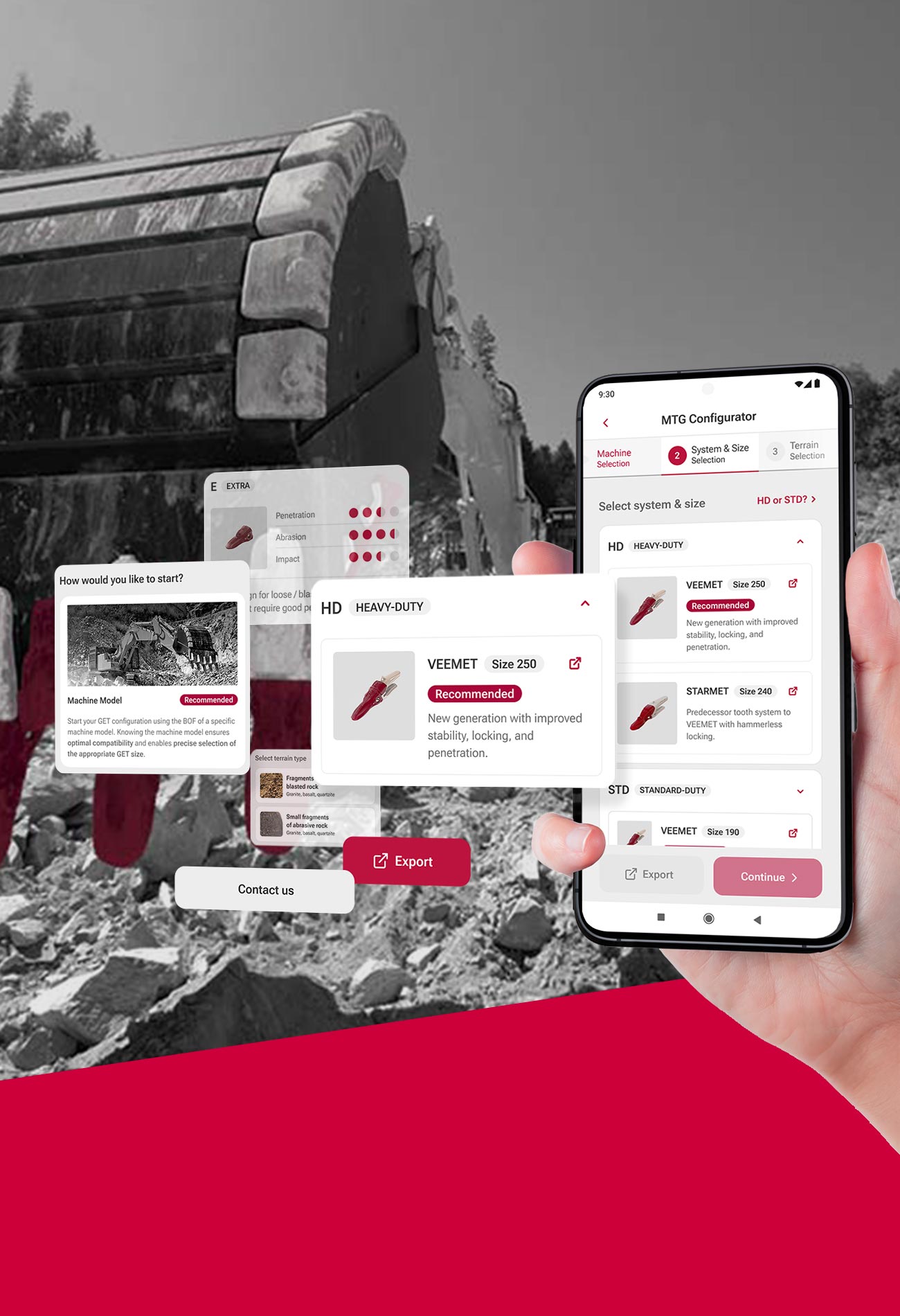
Features & Benefits
-
Quick & Easy
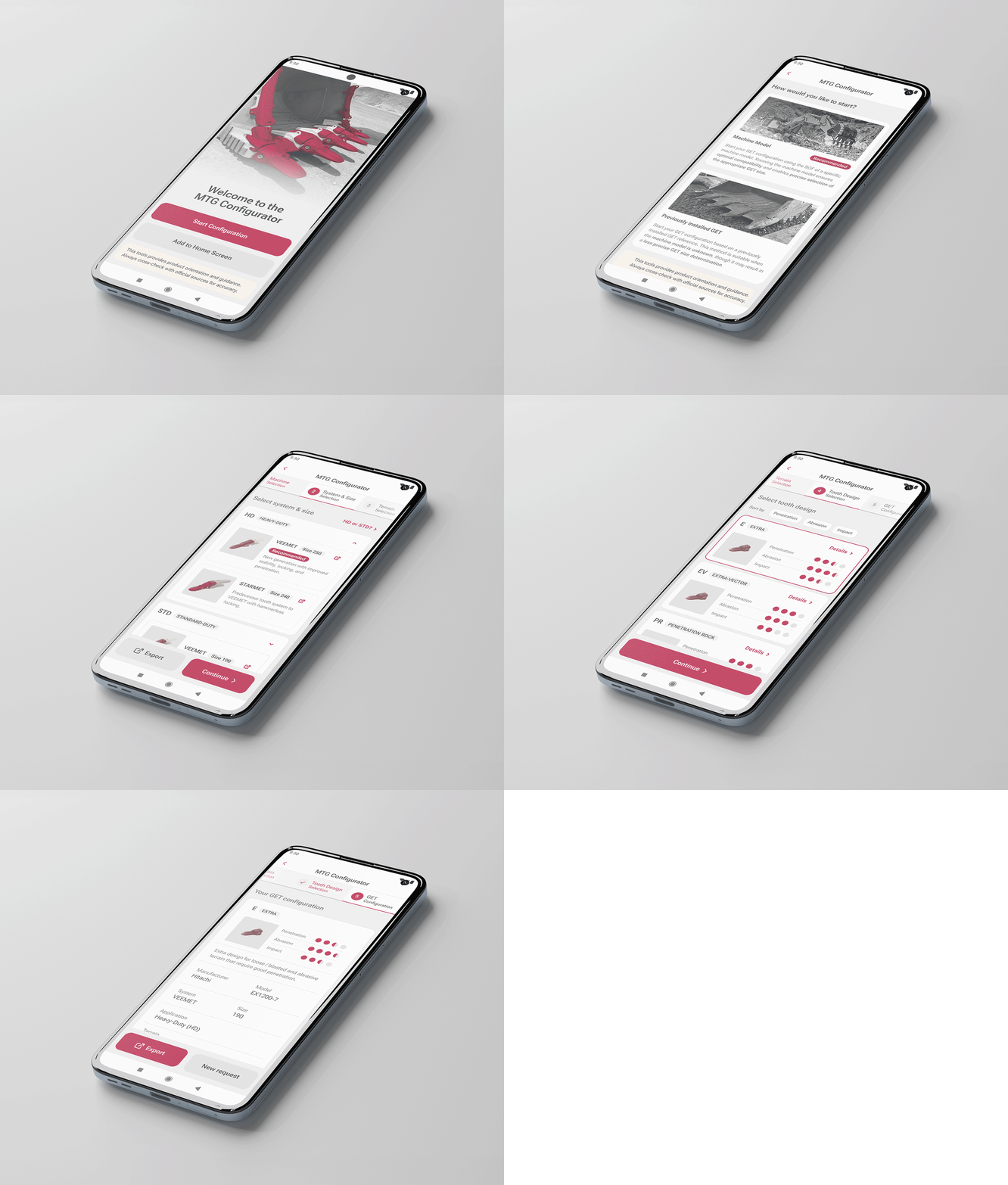
Designed for simplicity — just follow the guided step-by-step process to find your perfect fit.
-
Efficient
Speed up your workflow with 24/7 access to smart GET configuration and seamless sharing.
-
Wide Range
Offers plate lip solutions from light construction to mining with GET sizes ranging from 5 to 500.
-
Perfect fit
Find the most suitable tooth design based on your individual needs to maximize wear life and GET performance.
-
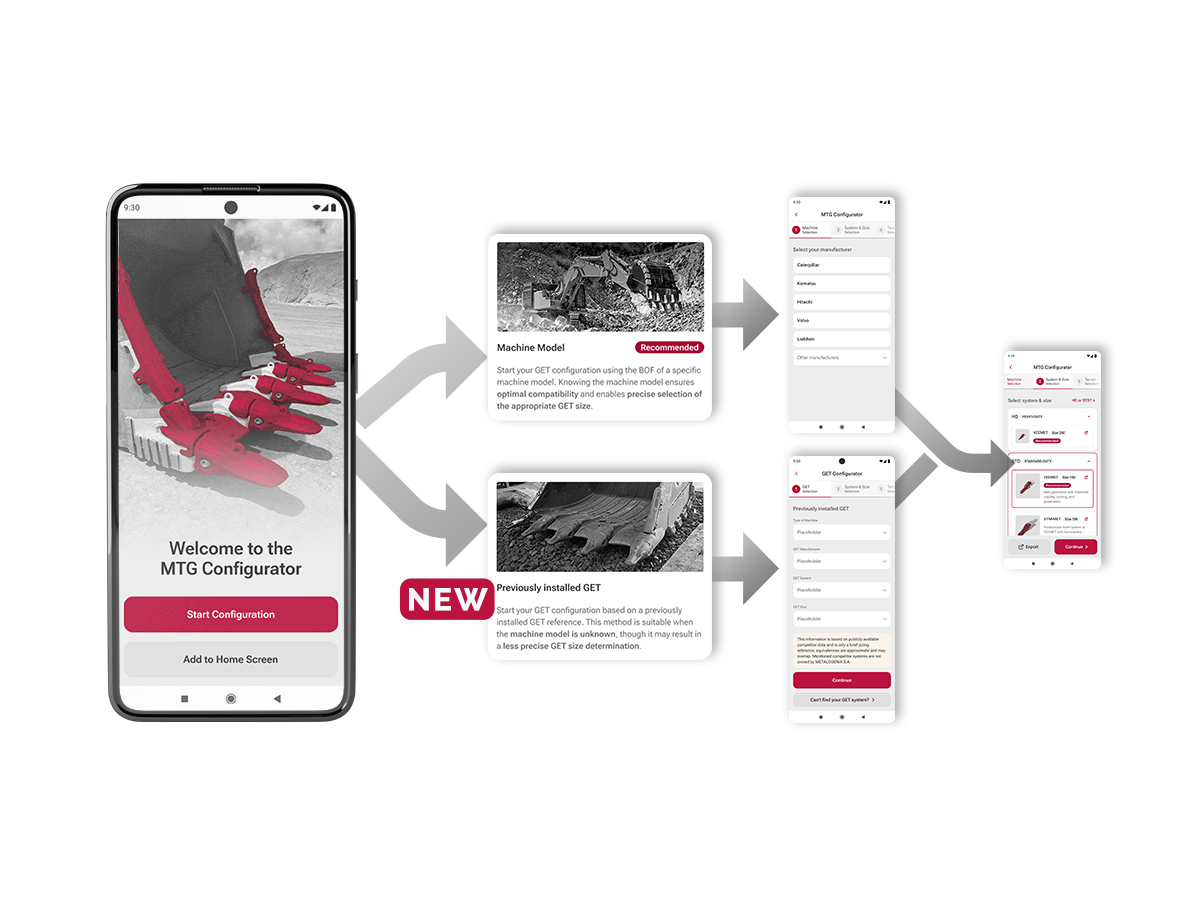
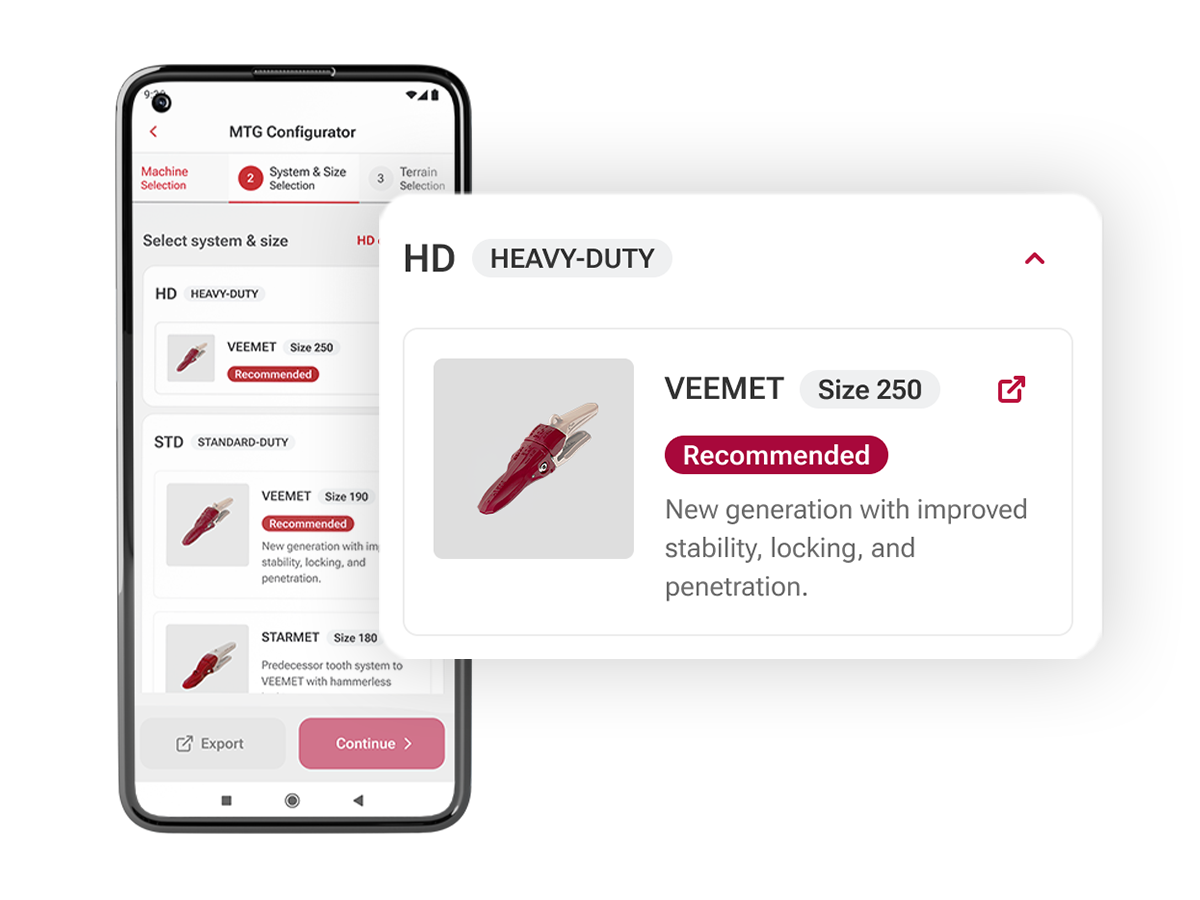
Flexible 2-Way Configuration
Choose between a machine model–based configuration and an alternative approach based on your previously installed GET. While the machine model option remains the recommended option delivering better accuracy, the alternative path is ideal for bucket refurbishment projects and bucket manufacturers when the exact machine model is unknown. -
-
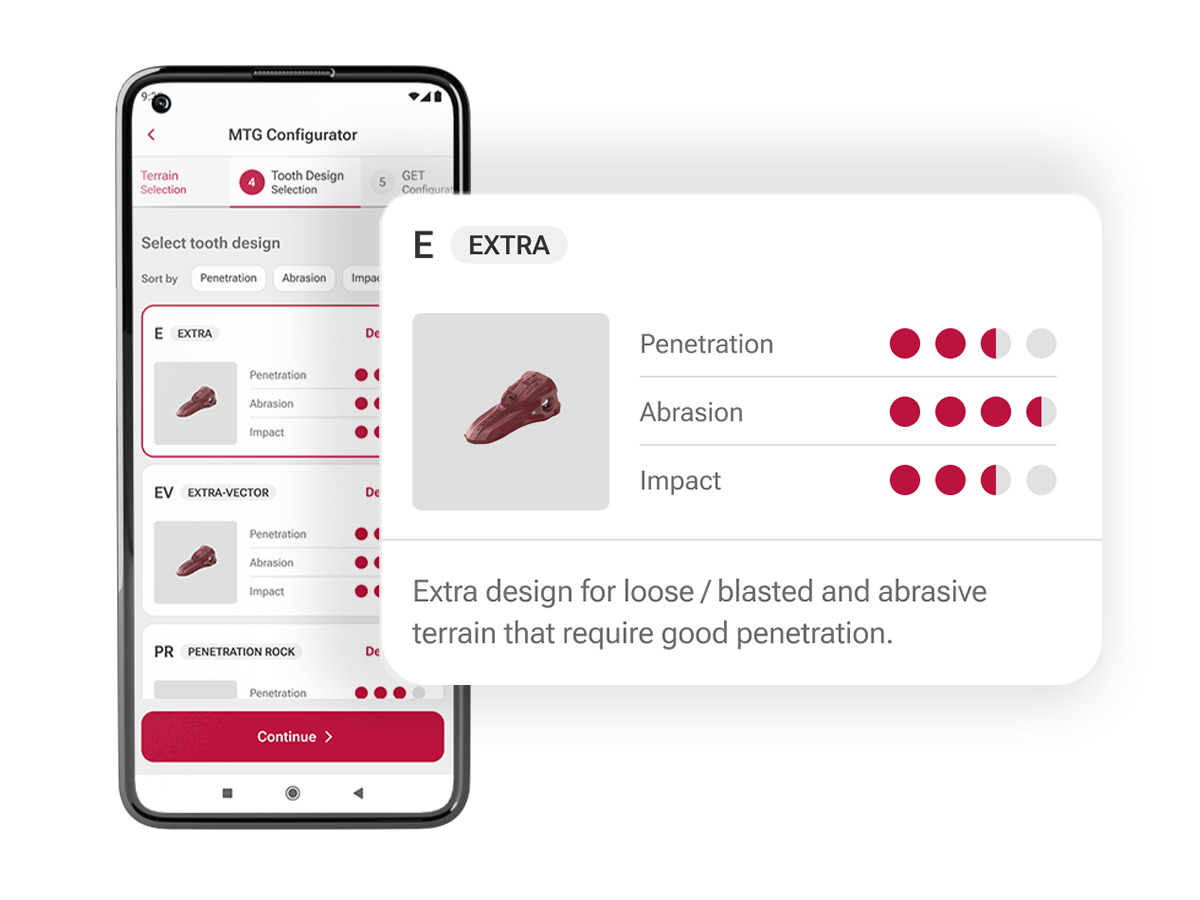
Tooth Design
Choose your terrain and the application will offer you suitable tooth design options. Find your most efficient tooth design based on their resistance against abrasion and impacts or their penetration capabilities. Also have a detailed look at the tooth dimensions and weights, if this might be your decisive aspect. -
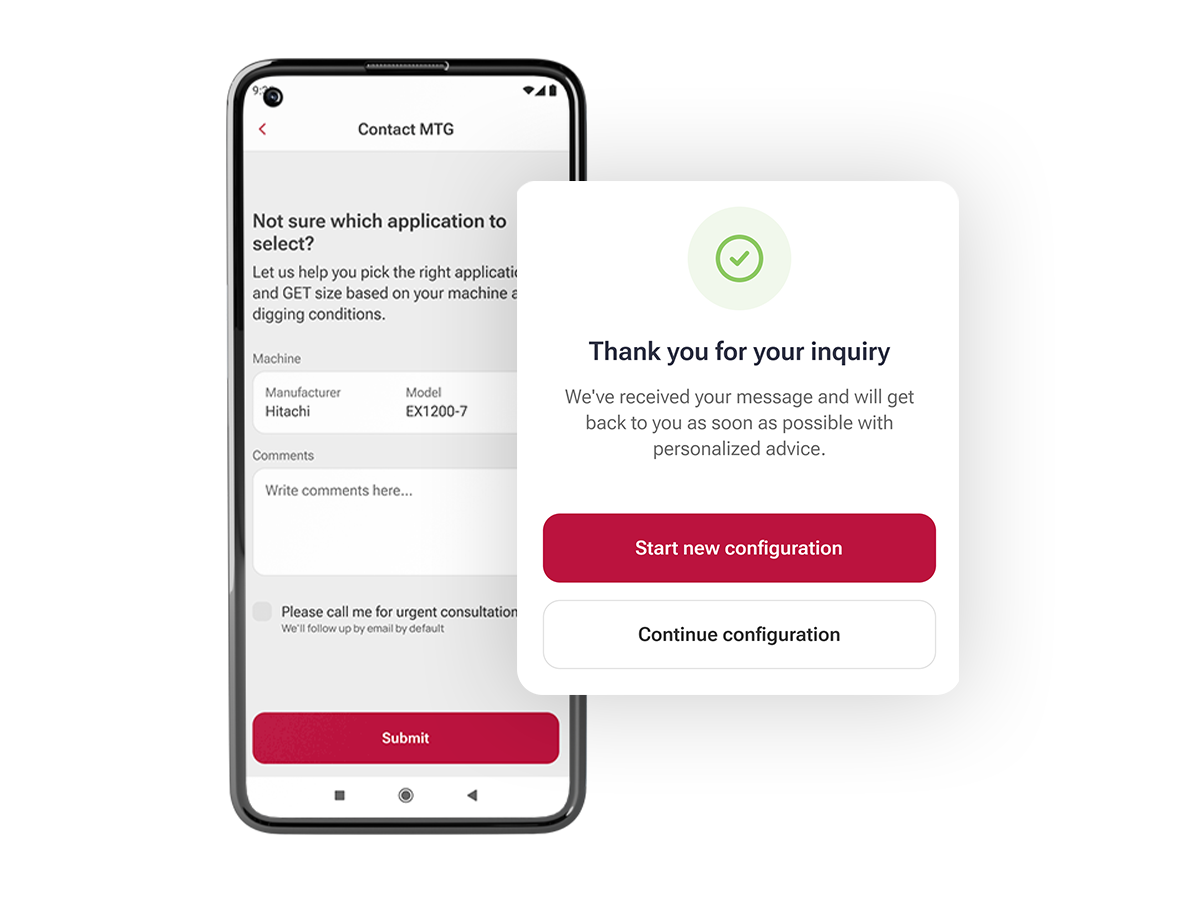
Support and Guidance Whenever You Need It
The MTG team is always at your disposal to support you throughout your online GET configuration. Dedicated contact form options are available to assist with missing machine models, application or tooth design selection, or any cases that go beyond the scope of the online configurator.
Facts & Figures
-
+500
User Logins
A steadily growing user base with approximately 500 logins to date, reflecting increasing adoption and continuous engagement.
-
+100
Search Flows
Strong usage with 100+ completed configurations, highlighting clear adoption of the VEEMET tooth system.
-
2,7 / 3
User Rating (Avg.)
Constantly high user ratings reflects strong satisfaction, ease of use, and confidence in the configurator output.
Let's get started...
- Open the MTG Configurator with your smartphone by scanning the QR-code to the right.
- Log in with the same username and password as for your MTG website login. If you do not remember, please use "Forgot Password".
- Explore and enjoy the configurator tool and let us know your opinion. Any feedback is welcome!!
- Recommendation: Add the configurator to your home screen for quicker access. You will find this feature directly after the login.
Info: The configurator is login-protected and only available to registered users of the MTG website.